Features
streaming ui
user ui
Legibility
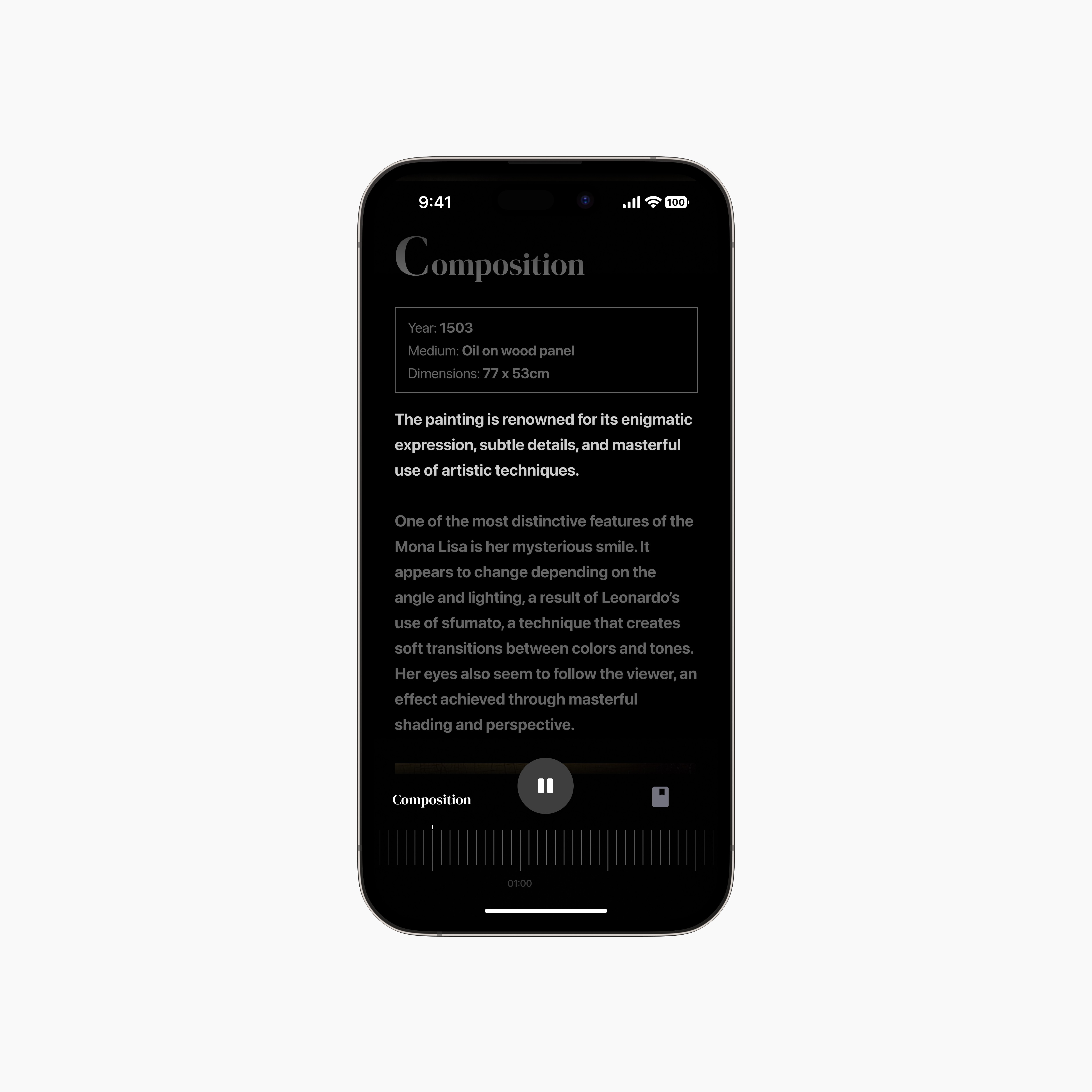
auto-play
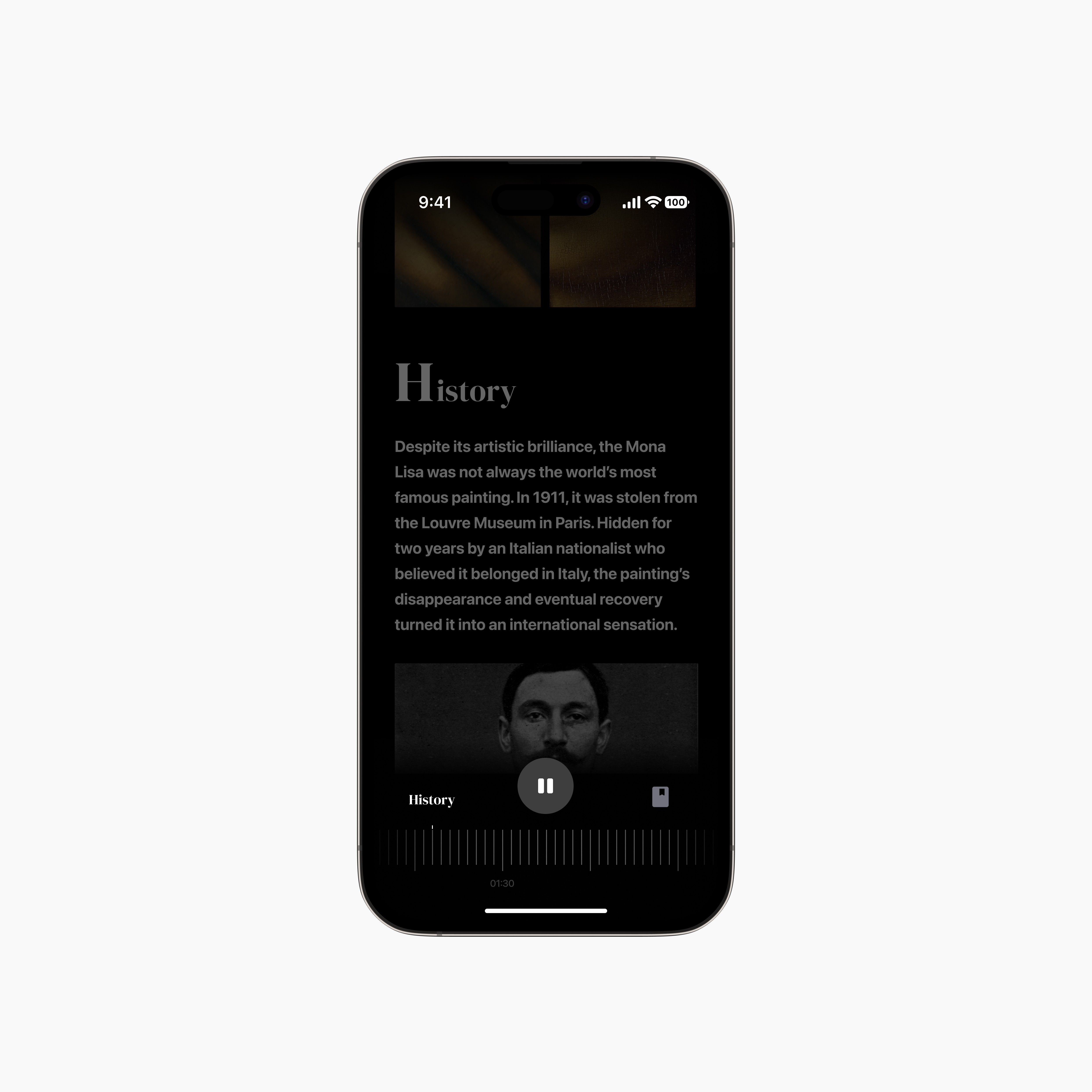
manual scroll
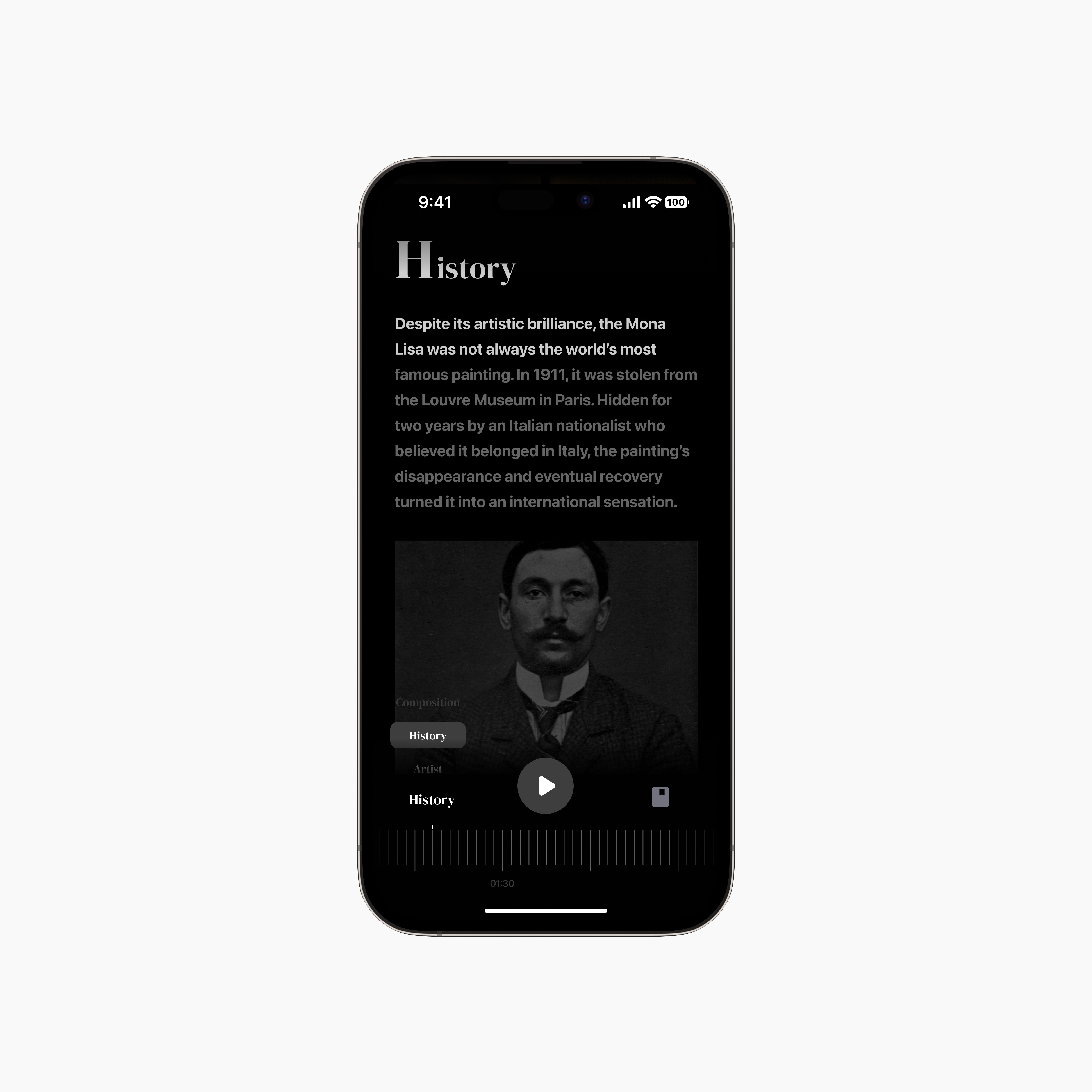
jump to topic UI
Walking through a museum can be an amazing experience, but it’s easy to feel like you're missing something. I interviewed art curator Selena Carol who leads tours at the Natural History museum who shared that 90% of museum visitors don’t know much about art but wished for quick, meaningful insights to get more out of their visit.
I designed Artefact, a mobile app that enhances the art viewing experience for museum visitors while keeping it immersive.
The average adult attention span is 8-20 minutes. With a mobile interface and text-heavy content that figure is even less. While interviewing 3 users who have visited an art museum at least 2 times in the past year, all expressed a similar sentiment:
Most resources for learning about art can feel too dense or academic, there is a need for something simpler.
A way to get quick, engaging insights while looking at a piece. Research suggests that listening to audiobooks can generally help improve focus and attention span due to the immersive nature of narration, allowing listeners to engage with the story while doing other activities.
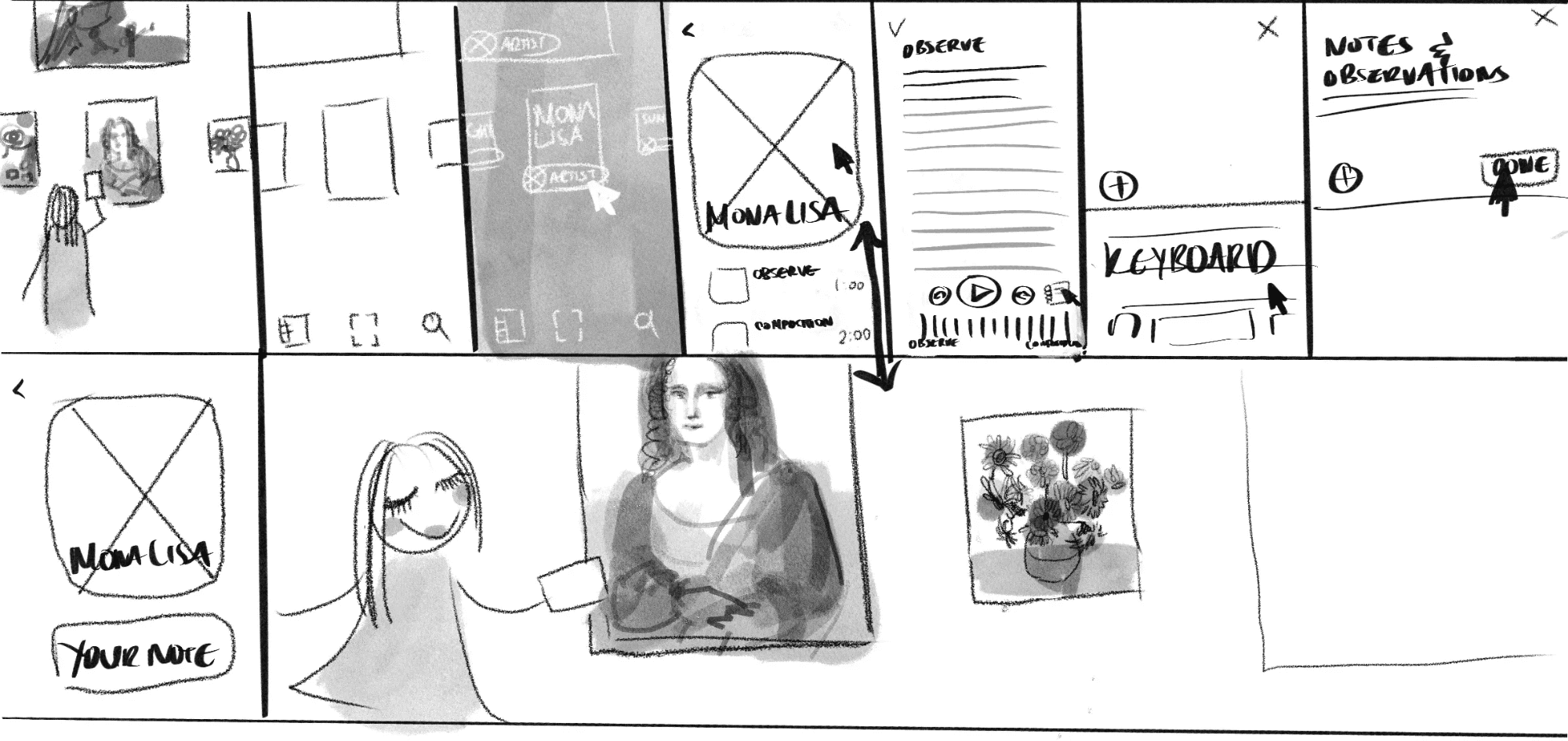
Artefact’s design is focused on short, narrated tours.
intuitive inbox architecture
Messages from potential buyers and messages to sellers live separately and inactive conversations are automatically archived, keeping your inbox neat.
Cross-industry research: Reading and Music
intuitive inbox architecture
Messages from potential buyers and messages to sellers live separately and inactive conversations are automatically archived, keeping your inbox neat.
Given the condensed timeline of this design sprint I focused on designing the most critical step: the audio tour.
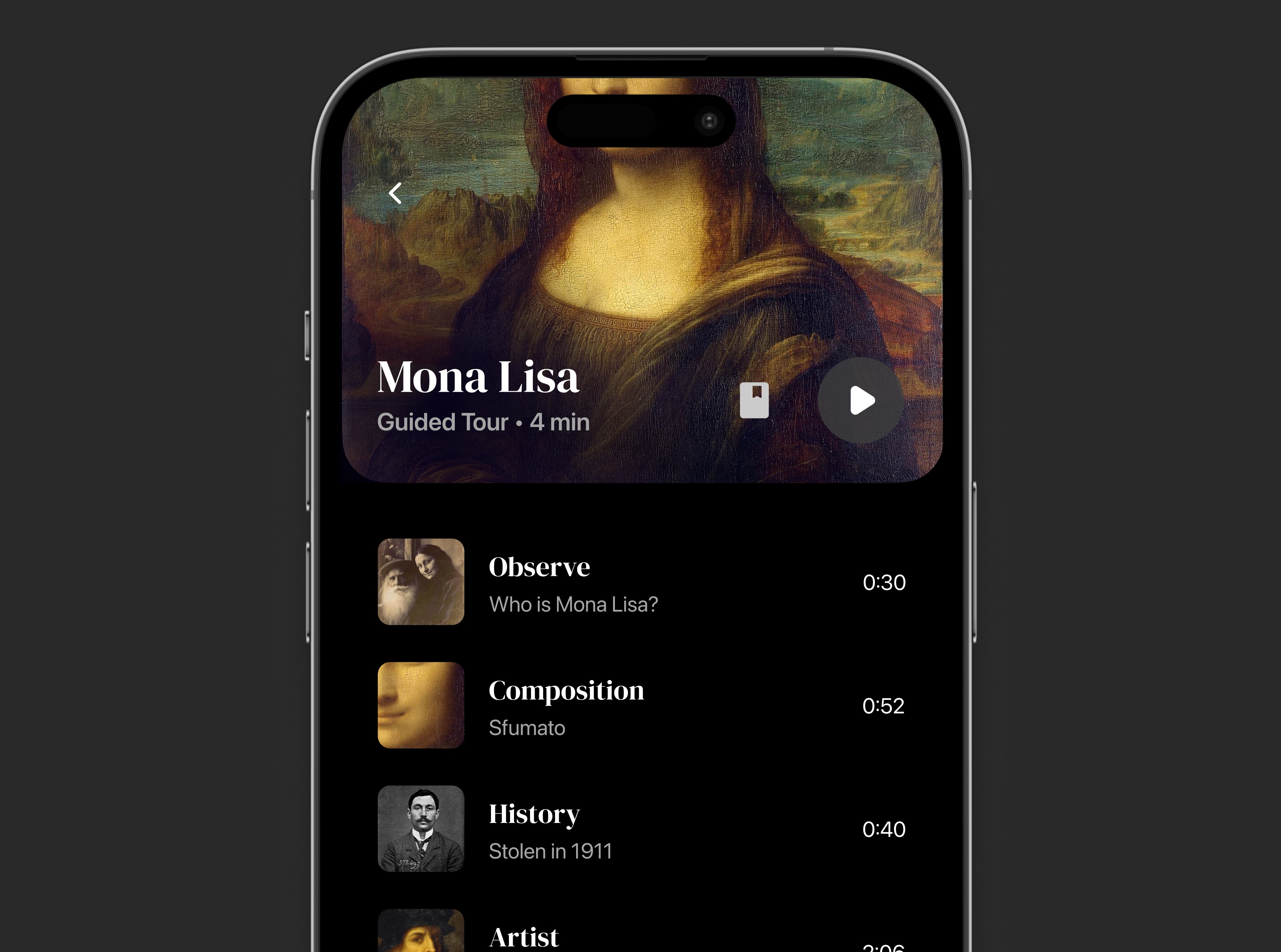
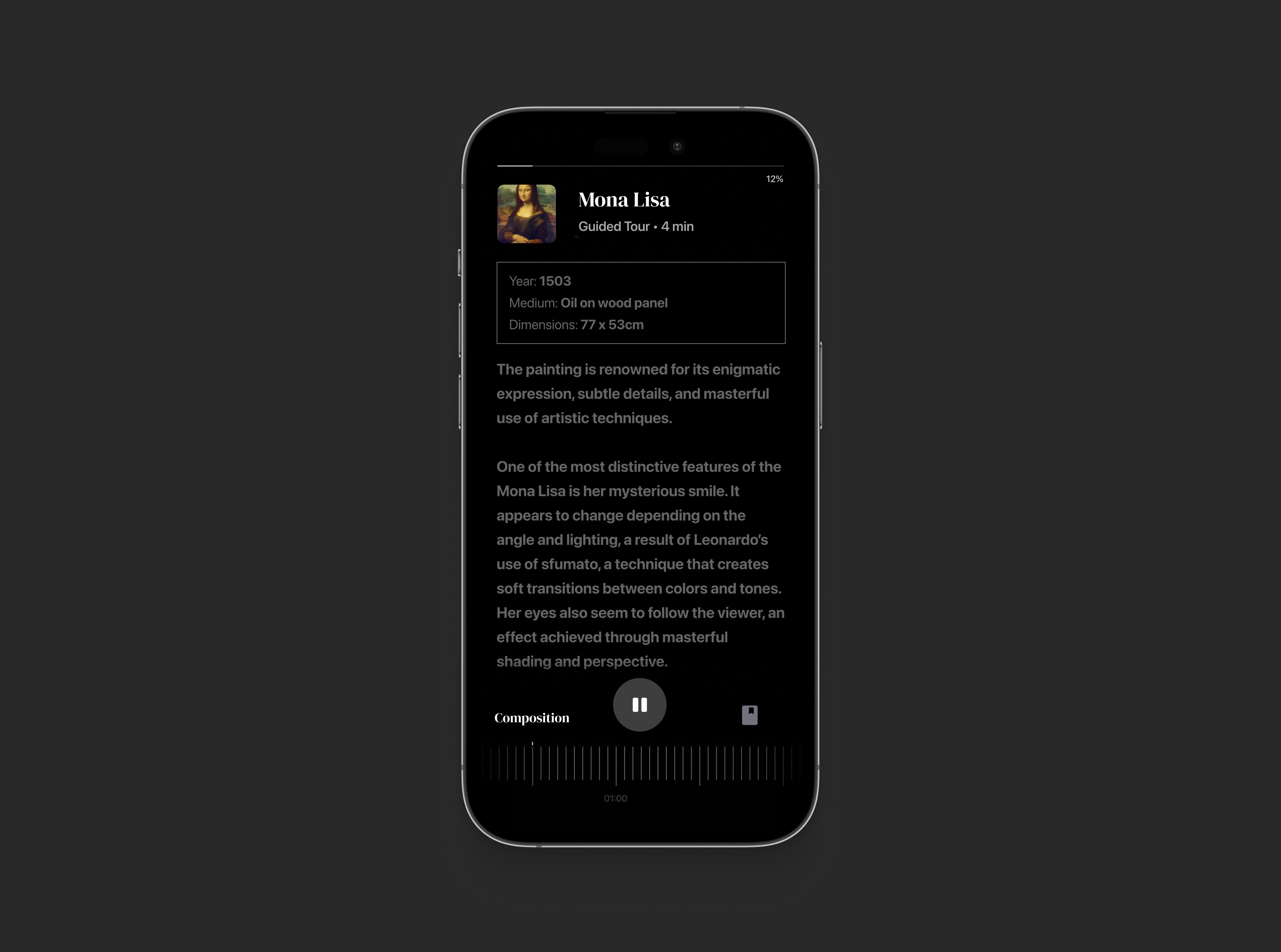
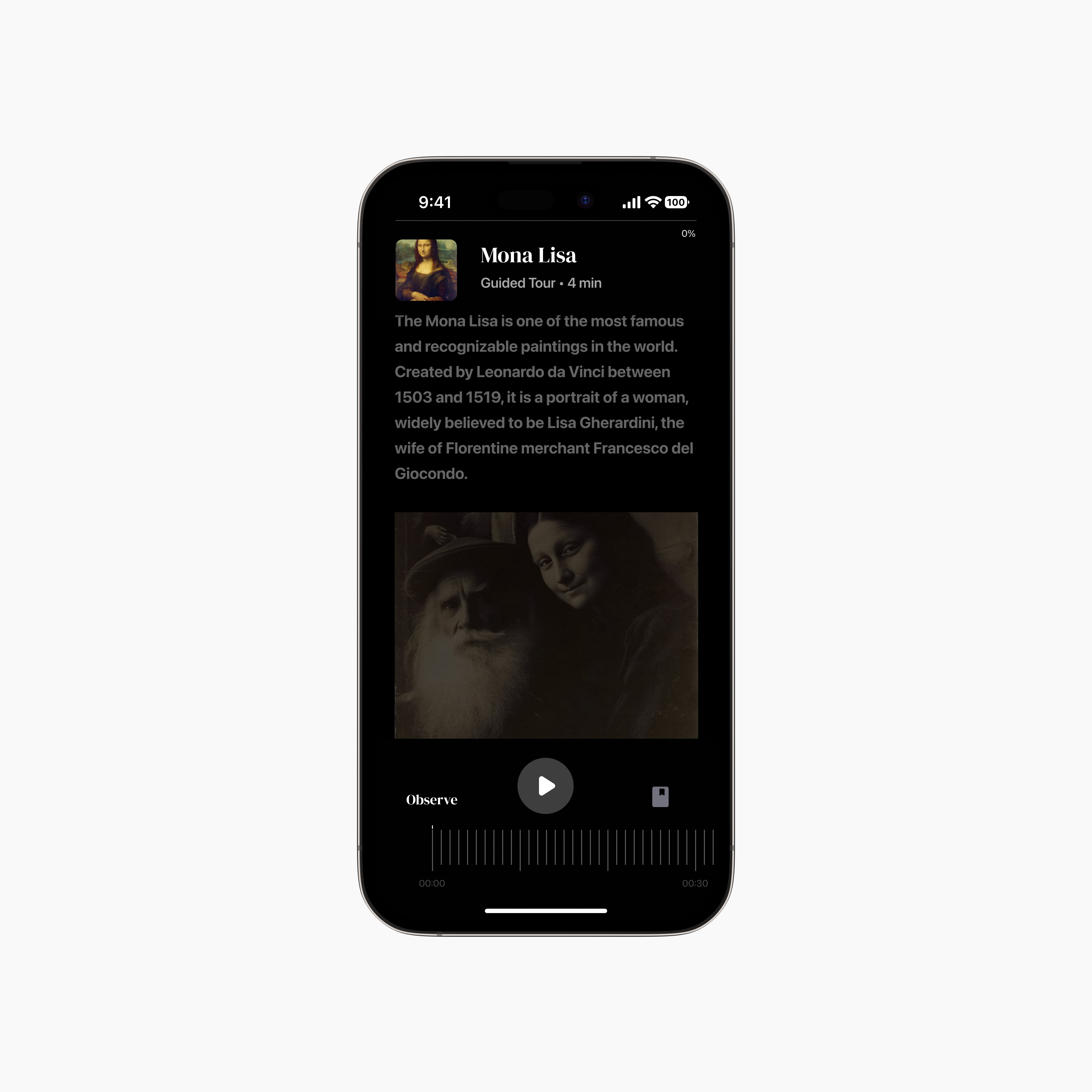
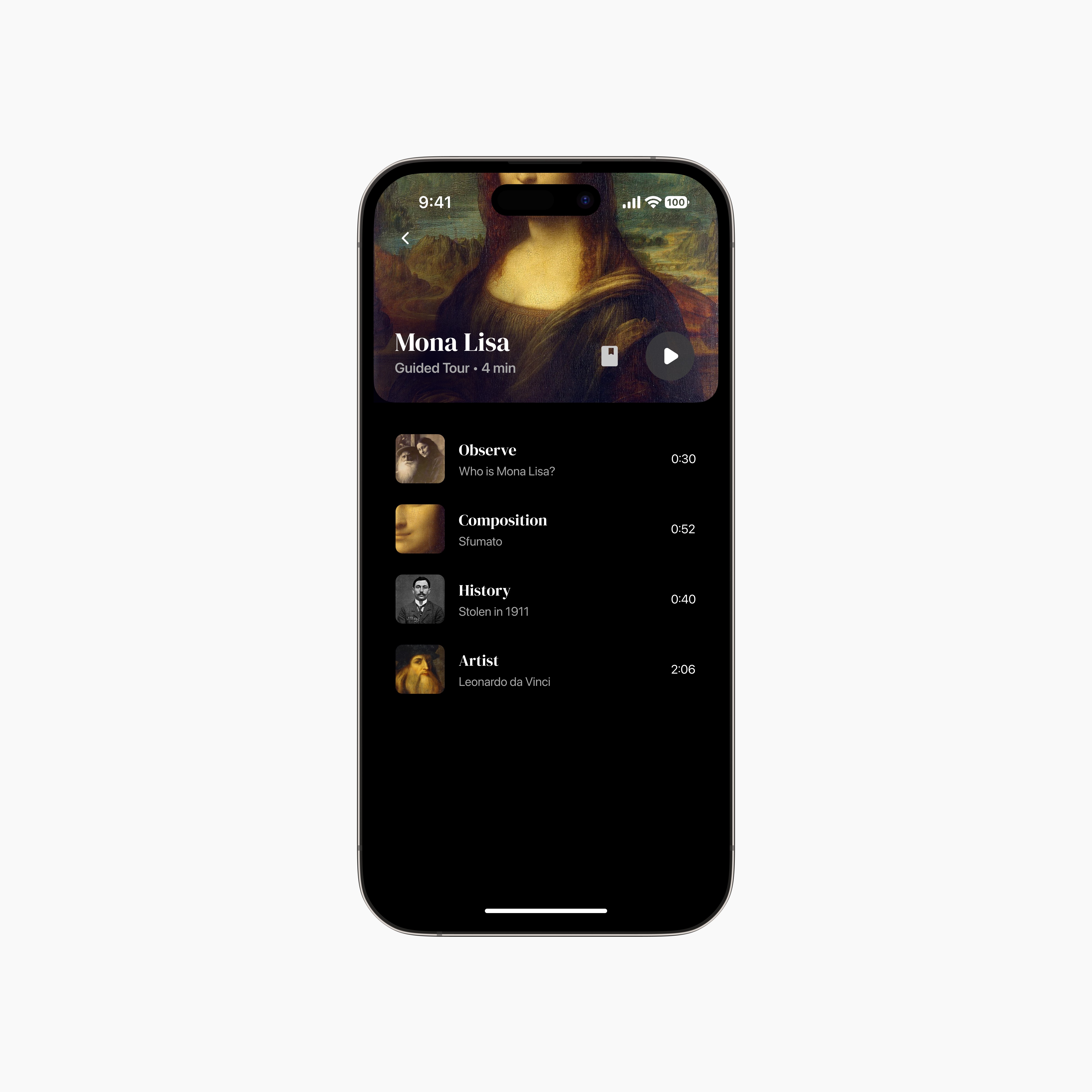
music streaming app ui
Playlist style UI for different topics narrated in the guided tour. In the audio-tour, content takes up most of the screen area, and key actions and a tracker sit at the bottom.
user control is priority
The thumbnail condenses and expands for visibility. The play button and journal feature is always visible giving the user control over their experience on-demand.
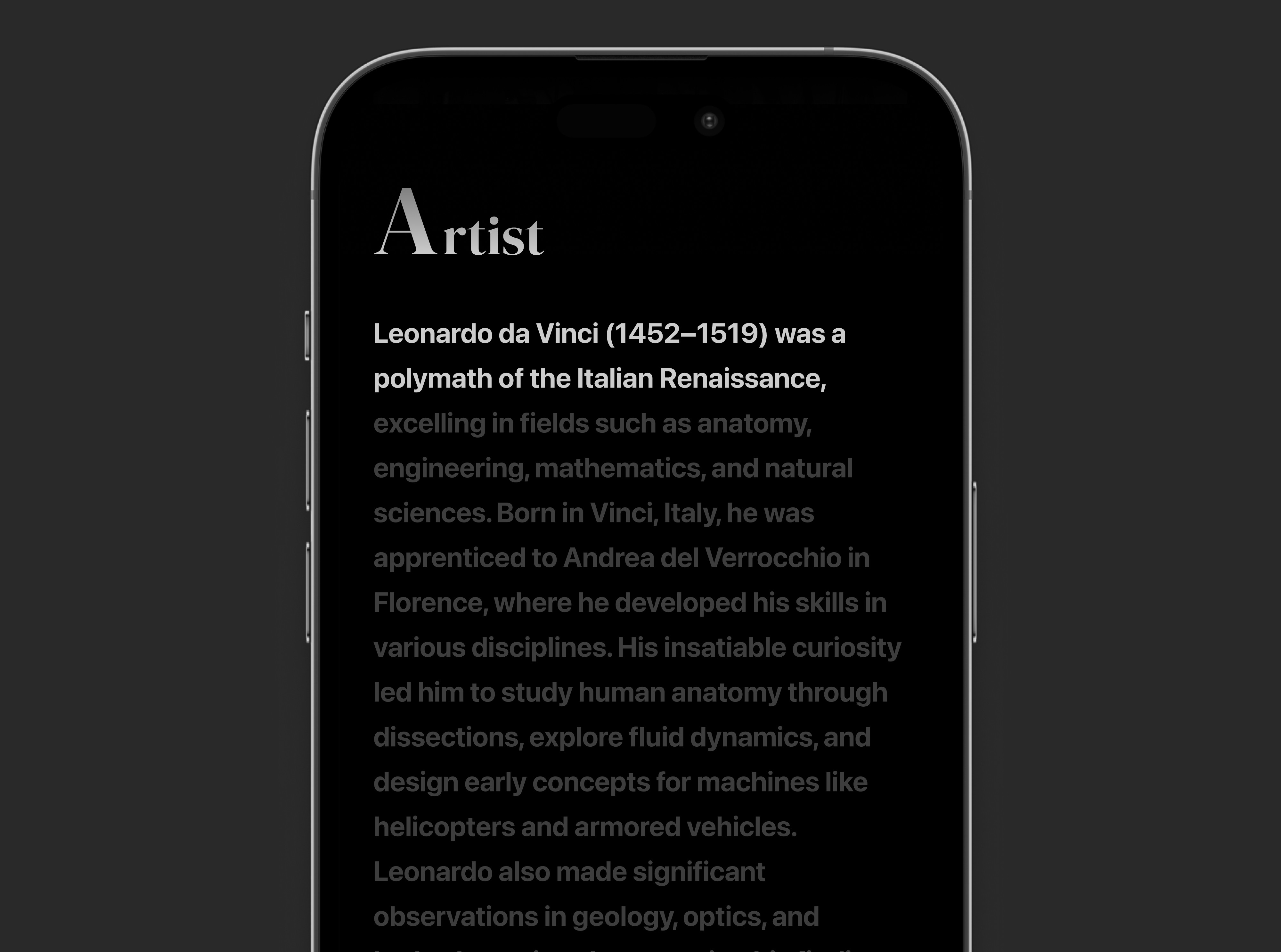
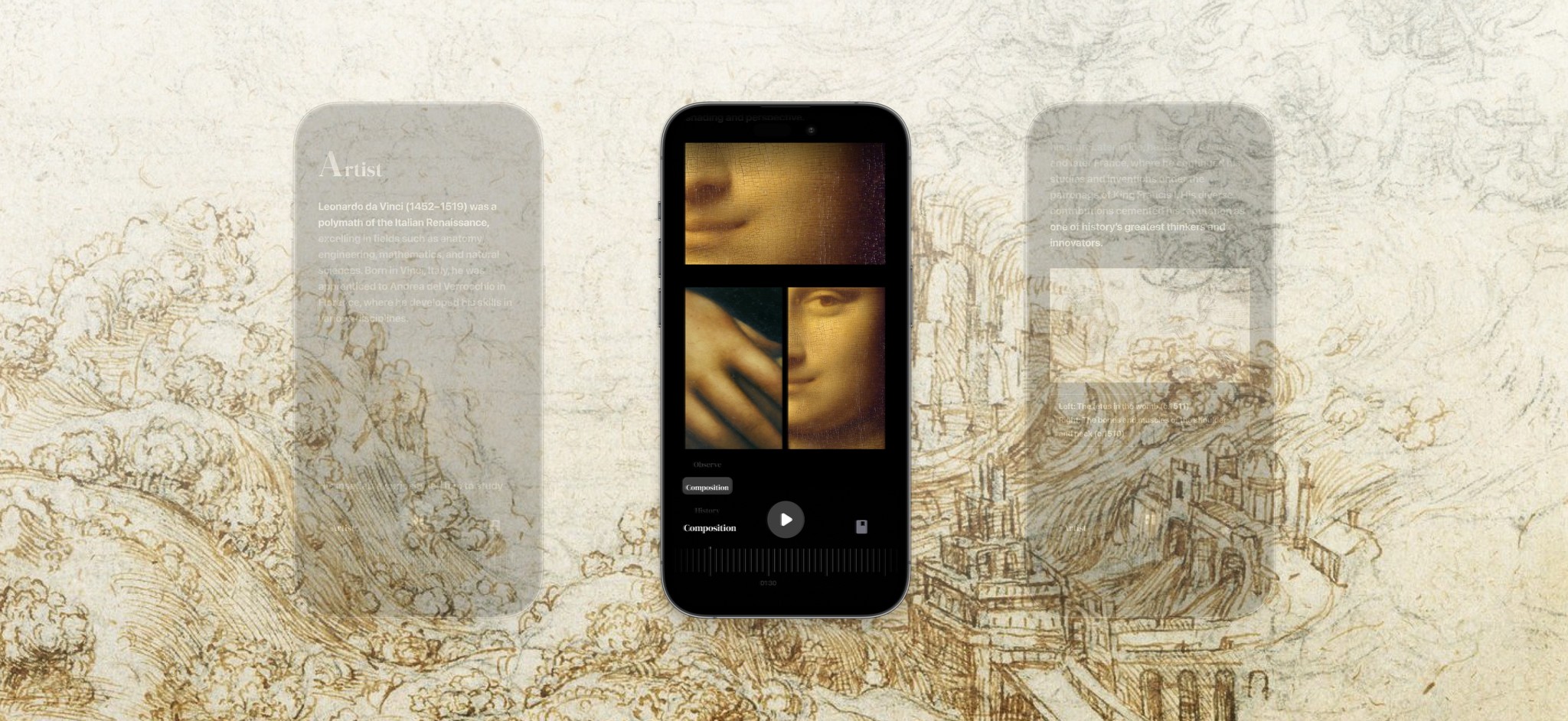
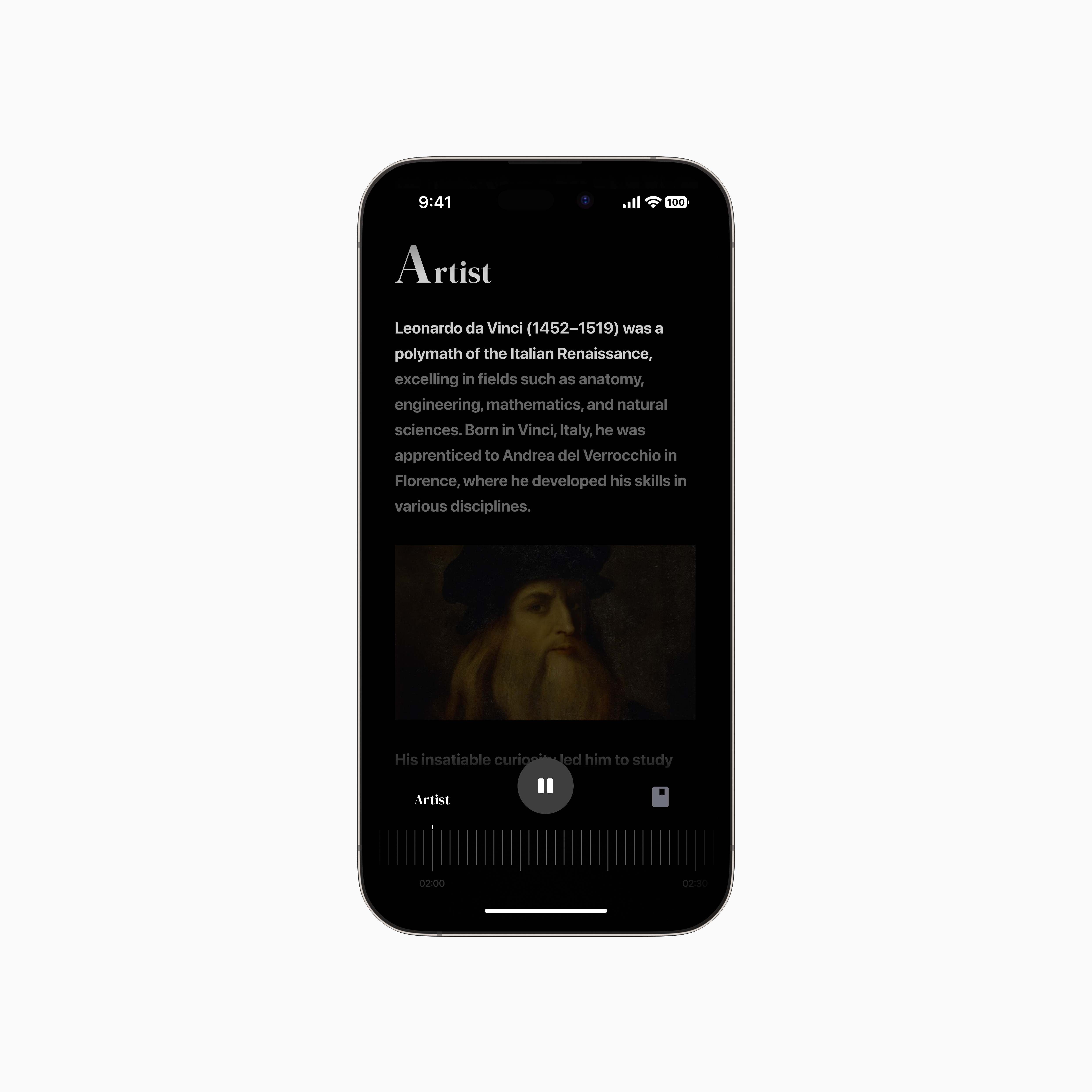
Type that delights and enhances Legibility
Section headers and body text are intentionally distinct but harmonious.
Navigation flexibility is important
AUTOPLAY
The thumbnail condenses and expands for visibility. The play button and journal feature is always visible giving the user control over their experience on-demand.
SCROLL and READ AHEAD
The thumbnail condenses and expands for visibility. The play button and journal feature is always visible giving the user control over their experience on-demand.
JUMP TO A TOPIC
Save search queries as “lookbooks”. Return anytime to find your search exactly as you left it.
All navigation features are in-step with each other making the overall experience intuitive and seamless.
Next steps
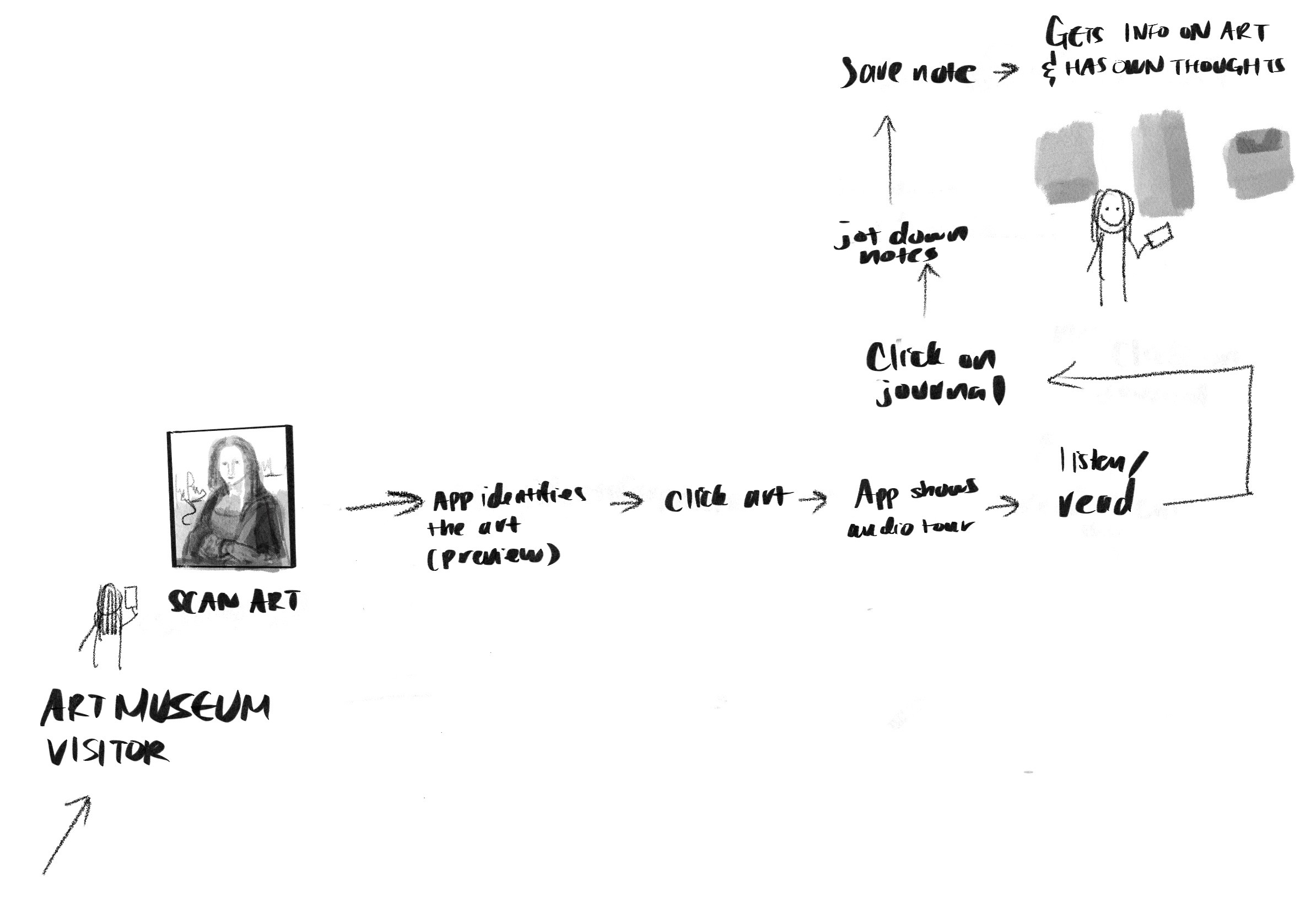
This was my take on a 1-week design sprint, where limited time and resources required me to prioritize key features in my designs. I would have liked to build out the rest of the user’s journey from scanning artwork with Augmented Reality to integrating a journaling feature where users could document their thoughts and make the experience more engaging.
Through designing Artefact, I learned the importance of accommodating different user preferences and how offering varied interactions can maximize usability. I also discovered that as interaction affordances increase, it becomes even more critical to ensure they seamlessly connect to avoid confusion and maintain a cohesive experience.
Ultimately, crafting an experience that makes art history more accessible and engaging was both a challenge and a rewarding opportunity to explore how intentional design can democratize learning.
© 2025 Evalina Xu